
TL;DR: The Fabricant is a complete AI platform for fashion teams, covering design, photoshoots, editorials and batch production with fashion knowledge built in. Weavy is a general-purpose node canvas where you assemble your own AI pipelines and choose your own models. Nano Banana Pro is the raw image model that tools like these can call on; on its own it has no fashion workflow around it. If you want production-ready fashion content without building the pipeline yourself, choose The Fabricant.
All three platforms can generate AI imagery, but they take fundamentally different approaches. The Fabricant is a fashion-specific platform that uses multiple AI models behind the scenes to solve production problems in the fashion industry. Weavy is a general-purpose nodal workflow tool that gives users access to 25+ AI models and the flexibility to build custom pipelines. Nano Banana Pro is a foundational image generation model available through direct access. Each serves a different type of user with different needs.
The Fabricant serves fashion designers, brands and studios. The interface is organised around fashion workflows — creating images, editing garments, generating tech packs, producing editorial content. Users don't interact with AI models directly.
Weavy serves technically proficient creators across all industries. It provides a nodal workflow interface where users connect different AI models into custom pipelines. It appeals to people who want granular control over their generation process.
Nano Banana Pro serves developers, researchers and power users who want direct access to a high-quality foundational image generation model. It's one of many models available on the market and is also used as infrastructure by other platforms.
This is the core architectural difference between the three.
Weavy puts model selection in the user's hands. The platform offers access to over 25 models — Flux Fast, Flux 2 Pro, Nano Banana 2, Nano Banana Pro, GPT Image 1.5, Seedream V5, Recraft V4, and many others. Users choose which model to use for each task and can chain models together in nodal workflows. The advantage is flexibility. The trade-off is that users need to understand what each model is good at and how to combine them effectively.
Nano Banana Pro is a single foundational model. You get direct access to one engine and work with it through prompting. What you see is what the model can do.
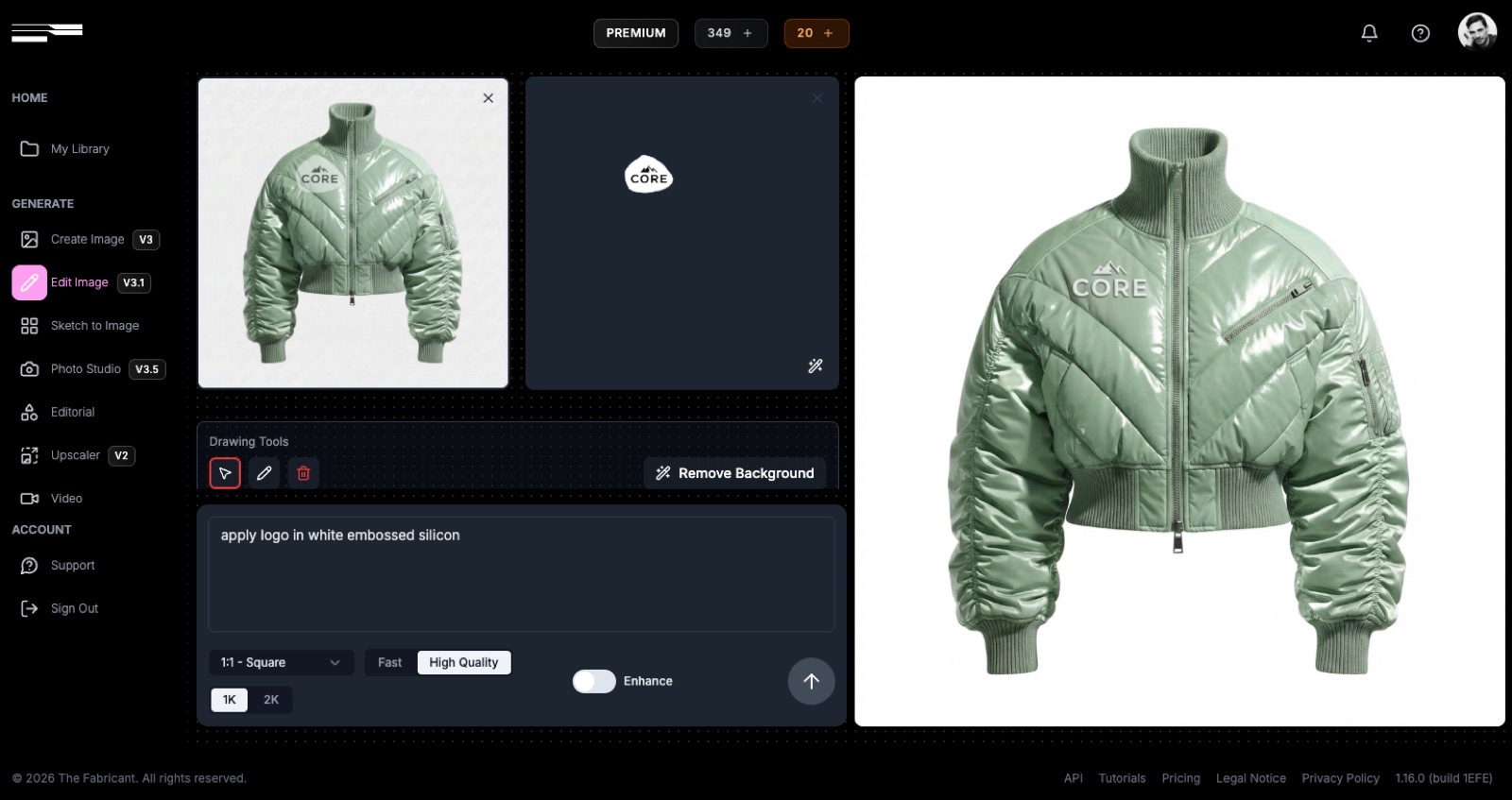
The Fabricant uses multiple foundational models across its tools but abstracts this entirely from the user. Each tool is an engineered system architecture that combines models with additional techniques — computer vision, parametric design and other processing layers — to solve specific problems. Users pick a tool, not a model. The platform decides what runs under the hood.
All three can produce technical sketches and pattern-style outputs, but with different levels of precision.
Nano Banana Pro and Weavy can generate technical illustrations through prompting or model pipelines. Foundational AI models have seen enough technical drawings in their training data to approximate the style. However, the outputs are generative approximations — they may look like tech packs but aren't engineered for the dimensional accuracy, construction detail or production standards that fashion manufacturing requires.
The Fabricant adds layers of computer vision, parametric design and additional processing on top of the generative output to bring precision to technical sketches. The goal is production-ready flats with accurate stitching, hardware placement and construction detail — not just images that resemble tech packs. the Fabricant can also export SVG vector graphic files to be used in software like Adobe Illustrator.
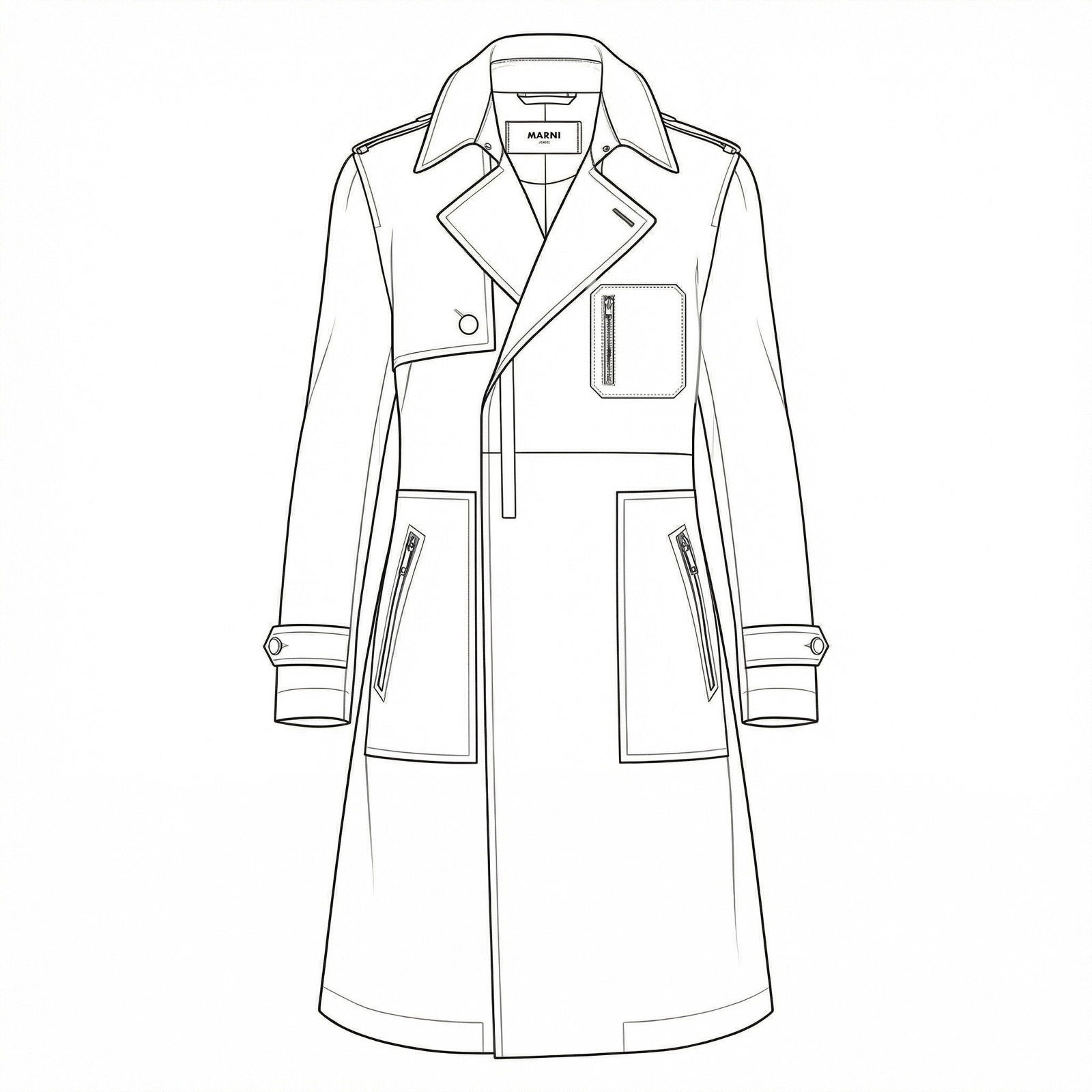
The same distinction applies to the upcoming Sewing Pattern tool (launching August 2026 on The Fabricant). Any model can generate an image that looks like a sewing pattern. The challenge is making it dimensionally accurate and usable in production — which requires engineering beyond what a foundational model provides alone.
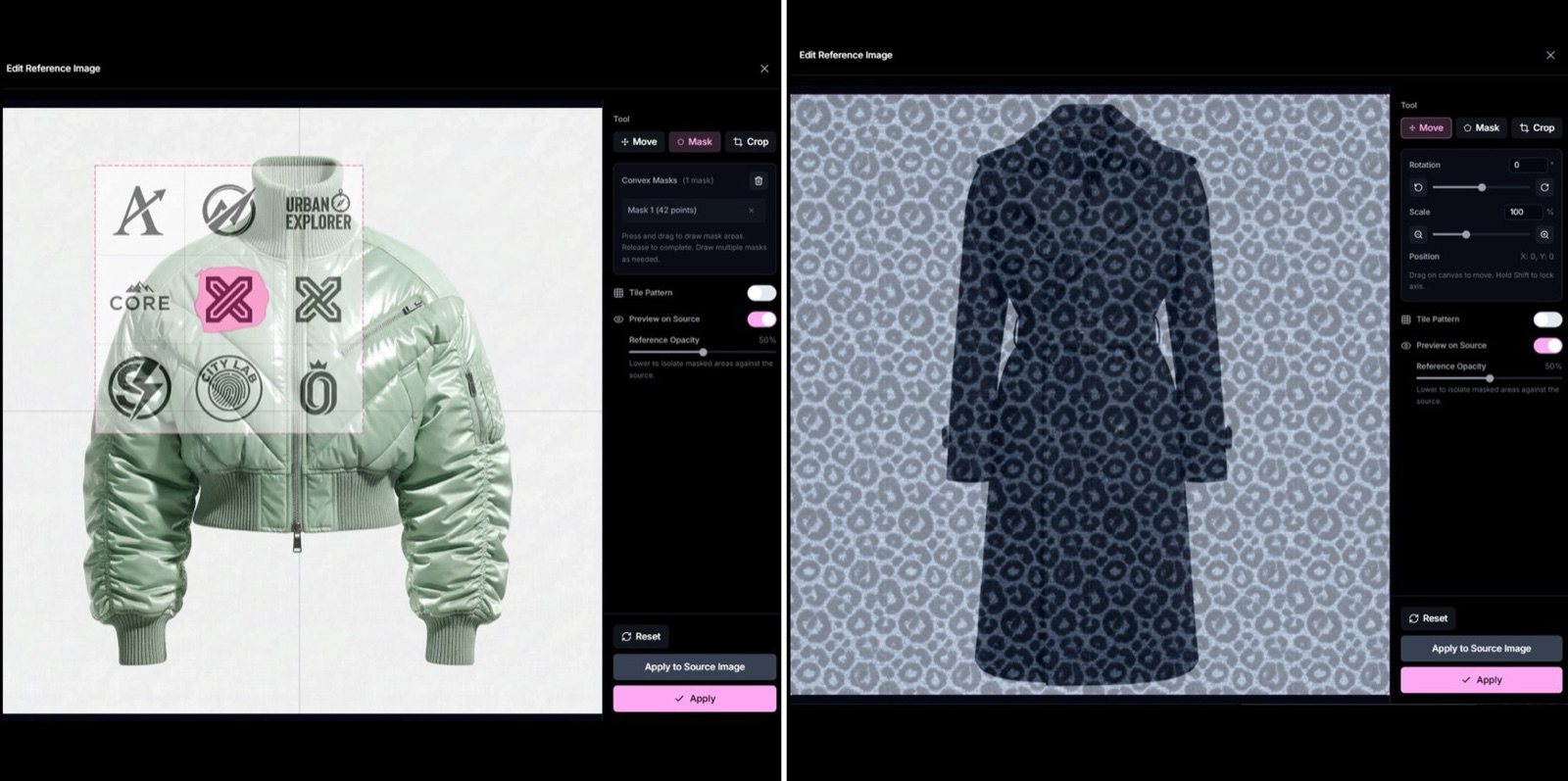
The Fabricant has a dedicated Edit Reference Tool for this. Users can position, scale and rotate logos, prints and trims directly on a garment with spatial controls, and the platform renders them naturally into the fabric — embossed, printed, woven or stitched. Patterns can be tiled as repeating materials. This is built as a purpose-specific system combining multiple techniques, not a single model feature.
Weavy can achieve similar results, but it requires building a custom multi-step node pipeline — typically combining masking, inpainting and compositing across different models. There is no built-in garment-aware placement tool with spatial controls, so the workflow is more manual and requires technical knowledge.
Nano Banana Pro handles this through prompting and inpainting. Users can describe what they want, but there is no direct spatial control over where a logo lands, how large it is, or how it sits on the fabric surface.
Colour accuracy is a known challenge across all AI image generation. Foundational models are trained on broad datasets and don't reliably reproduce specific colours — a problem that matters significantly in fashion, where colour precision affects sampling, campaigns and e-commerce.
The Fabricant addresses this with a dedicated colour accuracy pipeline — an engineered system architecture rather than reliance on any single model's colour output. The platform treats colour as a fashion production problem to be solved, not a model limitation to be accepted.
Weavy leaves colour management to the user. Results depend on which model is selected and how the pipeline is configured. Some models handle colour better than others, but there is no platform-level calibration for fashion-grade accuracy.
Nano Banana Pro produces colour based on its training data and the user's prompting. Achieving precise, repeatable colour output requires manual post-processing.
The Fabricant is designed to feel familiar to fashion professionals. The tools are organised by task — Create Image, Edit Image, Sketch to Image, Photo Studio, Editorial — rather than by underlying technology. Users don't need to understand AI models, prompt engineering or pipeline architecture. The trade-off is less granular control over the generation process.
Weavy requires comfort with nodal workflow interfaces and an understanding of what different AI models do well. Building effective pipelines takes time and experimentation. For teams with technical capability, this unlocks significant creative control. For teams without it, the ramp-up is considerable.
Nano Banana Pro requires prompt engineering skill. Getting consistent, production-quality results from direct model access takes experimentation, and there are no guardrails or fashion-specific defaults to guide the process.
Free — $0/month — 3 credits/day
Basic — $19/month — 100 credits/month
Pro — $59/month — 350 credits/month
Premium — $219/month — 1500 credits/month
Enterprise — Custom pricing — Custom credits
Credits are unified across all tools. A HQ 1K image costs 1 credits regardless of which tool or underlying model is used. Users don't see or pay differently based on what runs behind the scenes.
Free — $0/month — 150 credits/month
Starter — $19/month — 1,500 credits/month
Professional — $36/month — 4,000 credits/month
Team — $48/user/month — 4,500 credits/user/month
Credits vary by model. A Nano Banana Pro generation costs roughly 4x more credits than a Flux Fast generation. Users need to factor in per-model costs when planning their workflow and budget. The advantage is that lighter models can stretch credits further for less demanding tasks.
At the entry level, both start at $19/month. The Fabricant includes fewer credits but bundles fashion-specific tooling into the price. Weavy includes more credits but costs vary by model selection, and fashion-specific capabilities would need to be assembled manually through pipelines.
The Fabricant offers a Canvas tool with nodal workflows from the Pro plan, specifically for large-scale batch automation. Enterprise users get full batch generation. The nodal interface sits alongside the standard tools — it's available when scale demands it but isn't the default way to interact with the platform.
Weavy is built around nodal workflows as its primary interface. This makes batch production a natural extension of the core product. All generation, whether single images or thousands, runs through the same pipeline architecture.
Nano Banana Pro has no built-in batch workflow. Batch processing requires API access and custom development.
For users who need batch production as their primary workflow, Weavy's architecture has an advantage. For users who need it occasionally alongside simpler tools, The Fabricant's approach may be more practical.
The Fabricant builds exclusively for the fashion industry. The roadmap is shaped by feedback from fashion designers, brands and studios. Features like the Sewing Pattern tool, colour accuracy pipeline and logo placement exist because fashion professionals identified them as problems. The narrower focus means faster iteration on fashion-specific issues, but no features for other industries.
Weavy serves a cross-industry user base. The roadmap balances needs across creative professionals in photography, marketing, gaming, architecture and other fields. This means broader capability but less depth in any single vertical. Fashion-specific tooling is unlikely to be a priority.
Nano Banana Pro evolves as a foundational model — improvements focus on general image quality, speed, and capability. Industry-specific features are left to platforms built on top of it.
The Fabricant offers email support on all paid plans. Enterprise clients get priority support through dedicated channels (Slack or MS Teams) and team training. The support team works exclusively with fashion clients, so conversations happen in fashion terminology and context. Enterprise clients also have direct input into the product roadmap.
Weavy offers email and community support, with premium Slack support and team training available on enterprise plans. Support covers all industries and use cases.
Nano Banana Pro provides developer documentation and community forums. Support is technical and model-focused rather than industry-specific.
No. The Fabricant uses multiple foundational models across its tools, not a single model. More importantly, each tool combines generative models with additional layers — computer vision, parametric design and other techniques — to solve specific problems that foundational models alone don't handle well, like colour accuracy and precise logo placement.
Yes. The platform is designed for fashion professionals without technical backgrounds. There is no model selection, prompt engineering or pipeline building required.
If your team has the technical capability and you want to experiment across models, build custom pipelines and optimise at the model level, Weavy provides that flexibility across any industry. If you want fashion-specific tooling that works without that overhead, The Fabricant takes a different approach.
Yes. Both can generate fashion imagery, technical sketches and pattern-like outputs. The difference is in precision and workflow. General-purpose tools produce generative approximations. The Fabricant adds engineering layers — computer vision, parametric design — to bring those outputs closer to production standards for fashion specifically.
The platform treats model selection as an engineering decision rather than a user decision. Each tool selects the right combination of models and techniques for the task. This simplifies the experience but reduces the granular control that platforms like Weavy offer.