

TL;DR: AI fashion workflow software lets you chain individual AI tools into one automated pipeline. In The Fabricant's Canvas, you connect nodes - sketch, prompt, garment generation, virtual try-on - and run the whole sequence in one go, turning a 2D sketch into an on-model photoshoot in seconds.
AI fashion workflow software connects separate design tools - sketch rendering, garment generation, virtual try-on - into a single automated pipeline that runs end to end. The Fabricant's Canvas is a node-based workflow system built for exactly this: instead of running one tool at a time, you map out an entire creative journey - from sketch to styled model shoot - and execute it all in a single run.
In this guide, we walk through a fundamental beginner workflow: generating a photorealistic garment from a sketch and immediately dressing a virtual model with it, all without leaving the Canvas.
Nodes are the building blocks of the Canvas. Think of them as creative lego blocks - each one performs a specific task, and when connected together, they form a pipeline that processes your designs automatically.
Instead of doing one task at a time, you can map out a journey for your designs. This saves time, ensures consistency, and allows you to scale your creative output with ease.
The first part of the workflow turns a simple line drawing into a high-fidelity image using the Sketch to Image tool.
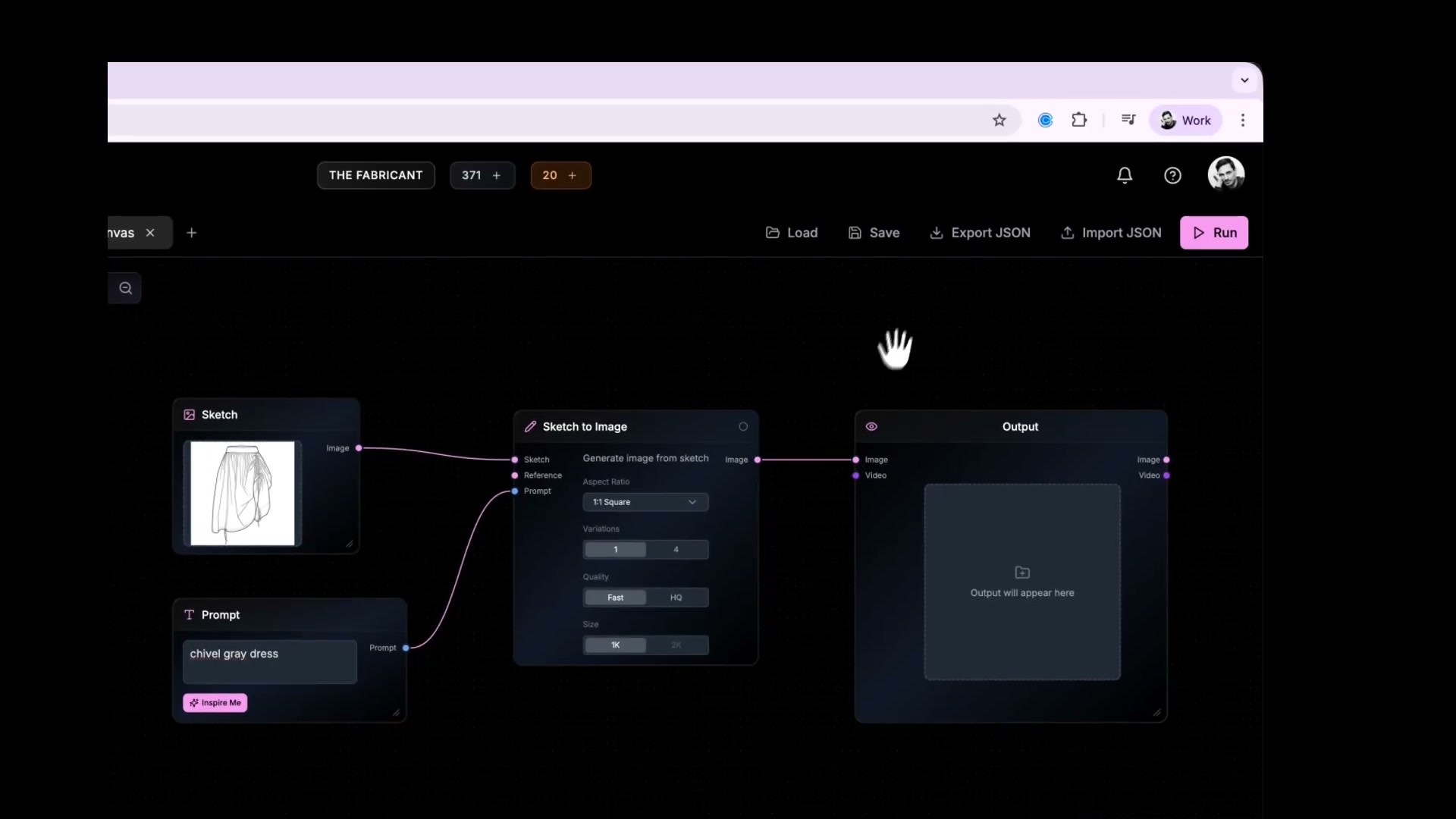

Now, instead of taking that generated image and manually uploading it elsewhere, pipe it directly into a virtual model using Photo Studio.
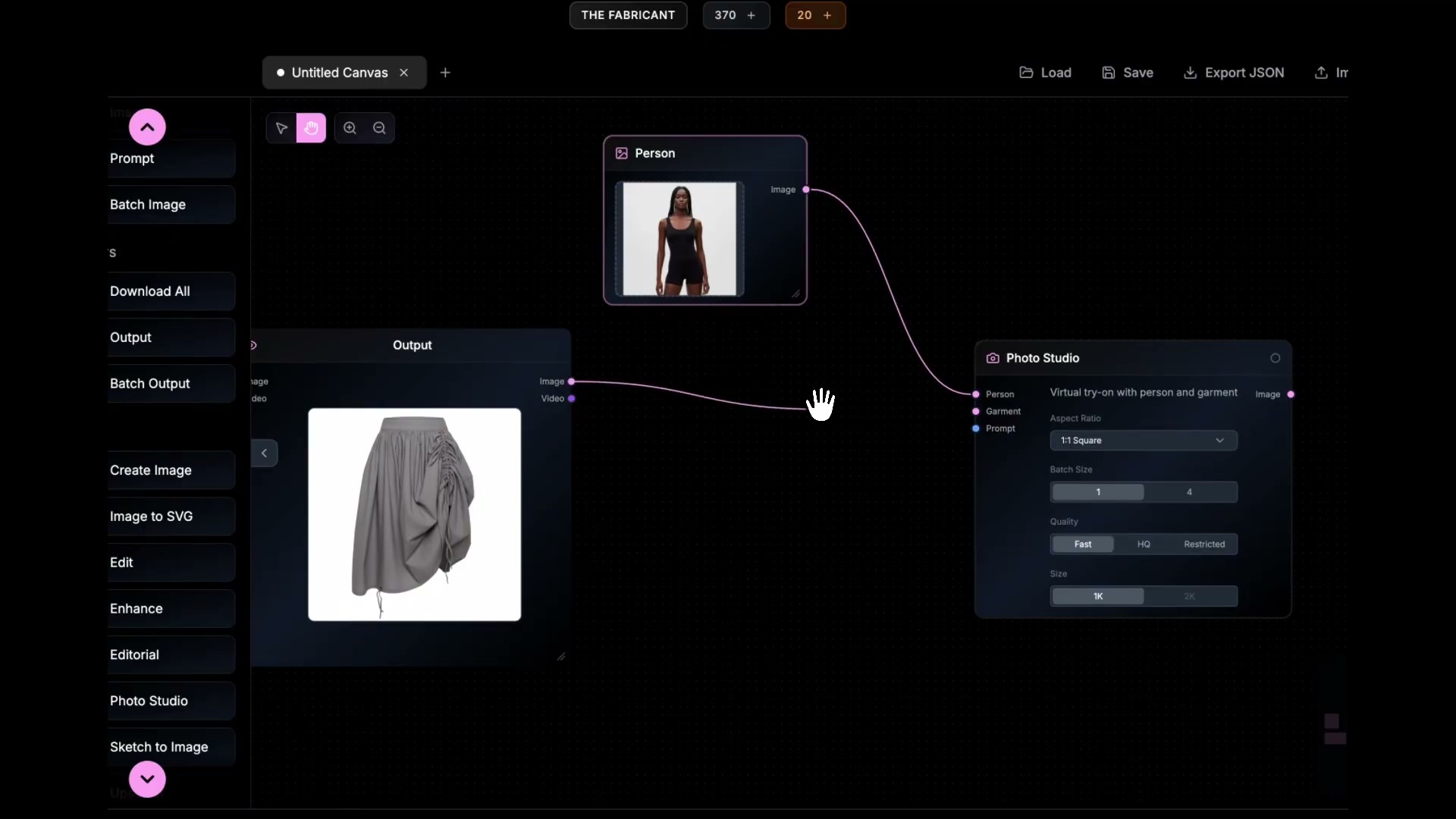
With your workflow mapped out, all that's left is to hit Run. The system processes the nodes in sequence:
By the time the progress bar finishes, you have a complete piece of marketing-ready content. You have gone from a 2D sketch to a styled model shoot in seconds.
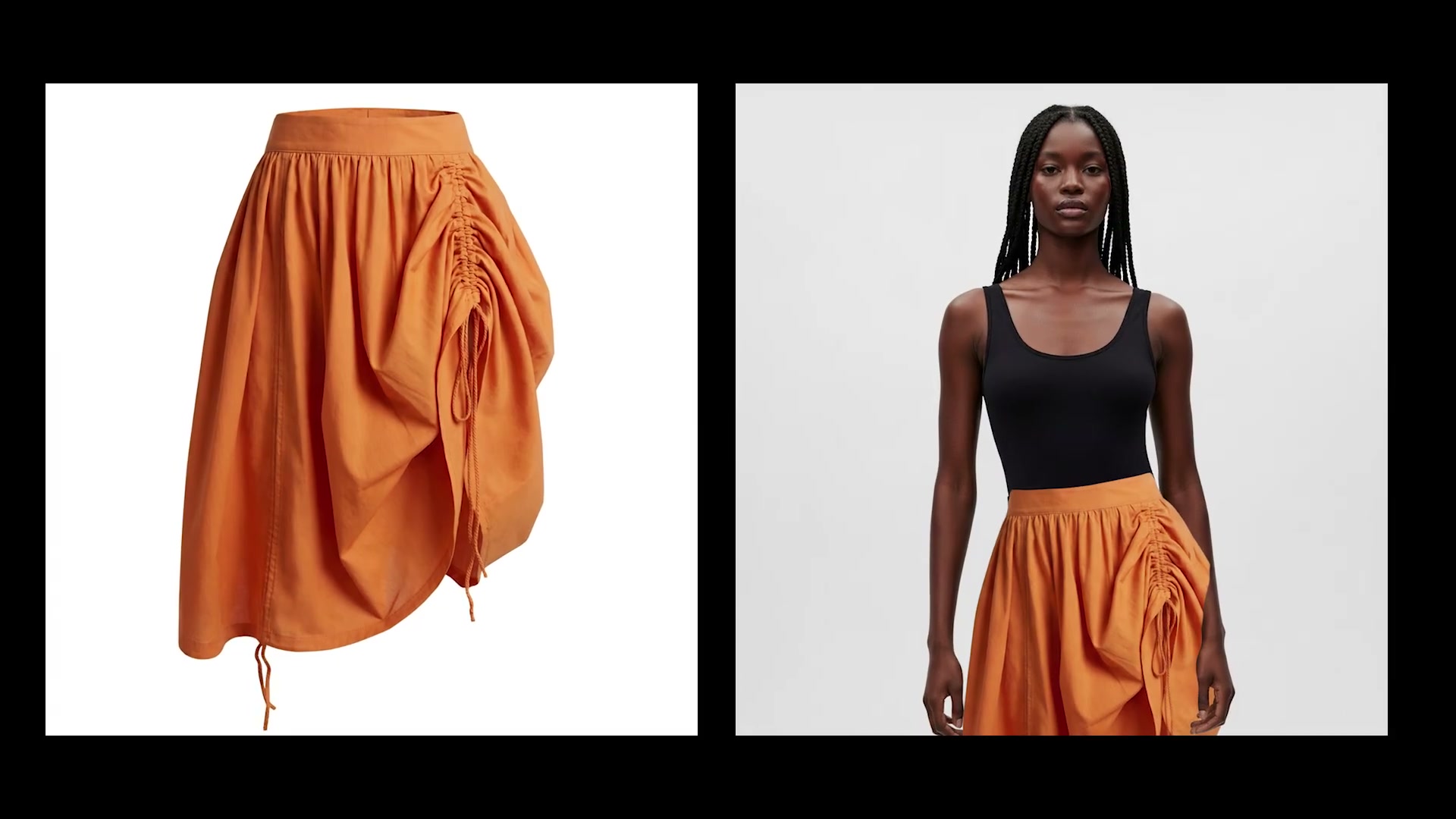
The beauty of the Canvas is that you can go back, change the prompt from "Orange dress" to "Blue velvet gown," and hit run again. The entire workflow adapts to your changes instantly.
Pro Tip: As you get more comfortable, try adding an Upscaler node at the end of your workflow to get crisp, high-resolution details perfect for social media or lookbooks.
Ready to build your first workflow? Open The Fabricant Canvas and start connecting nodes today. [Disclaimer - Canvas is only available for Pro, Premium and Enterprise users]