
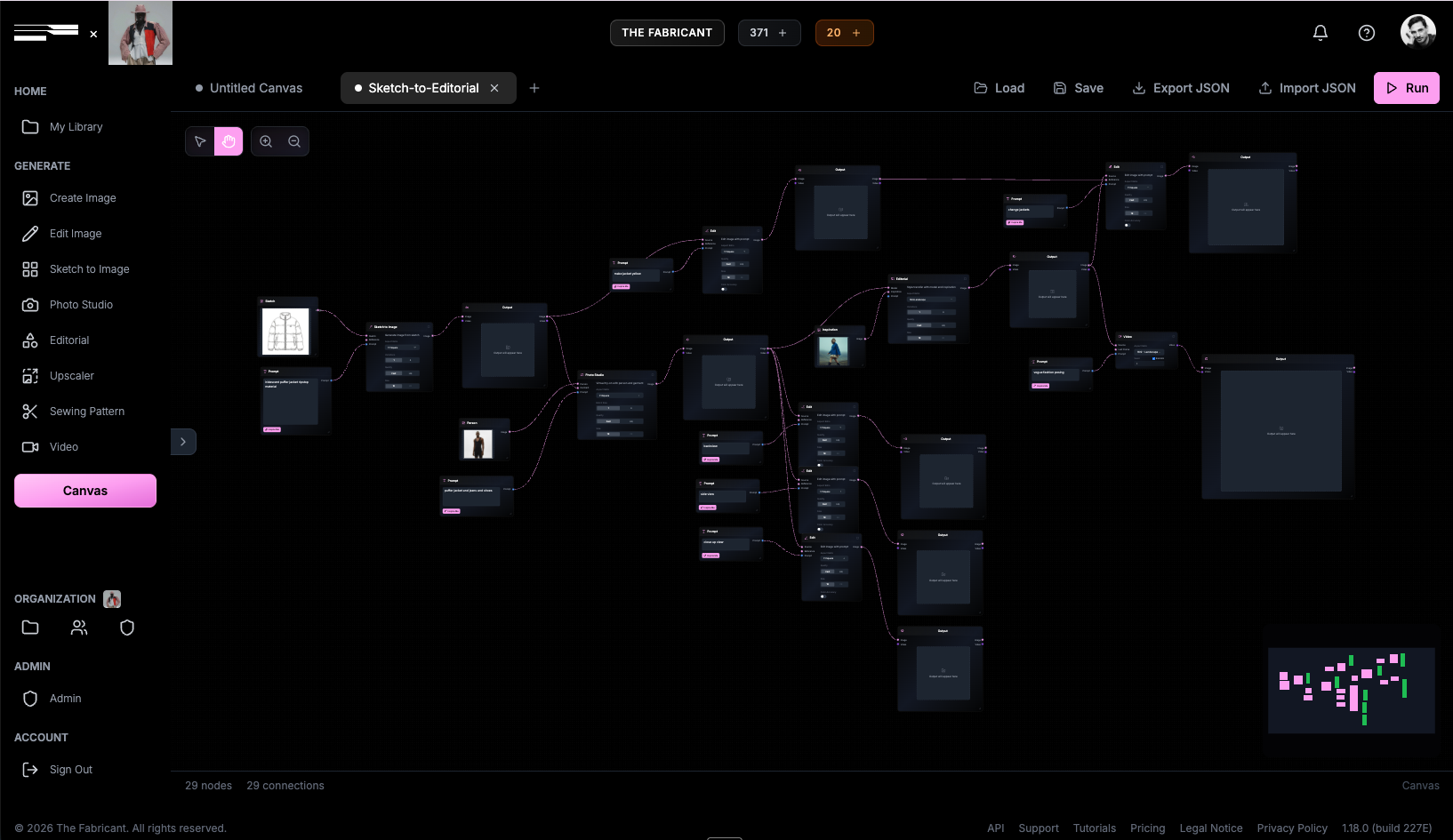
The Canvas is The Fabricant's node-based workflow system that lets you chain AI tools together into automated, repeatable pipelines. Instead of running each tool separately, you connect them visually and hit Run once to go from sketch to styled lookbook image in seconds.
In this guide, we walk through a fundamental beginner workflow: generating a photorealistic garment from a sketch and immediately dressing a virtual model with it - all in a single automated run.
Think of nodes as building blocks for your creative process. Instead of running one AI tool at a time - generating an image, downloading it, uploading it to the next tool - you map out the entire journey visually. Each node represents a tool or input, and connections between them define how data flows.
This approach saves time, ensures consistency across variations, and lets you scale creative output without repeating manual steps.
The first part of the workflow turns a simple line drawing into a high-fidelity fashion image.
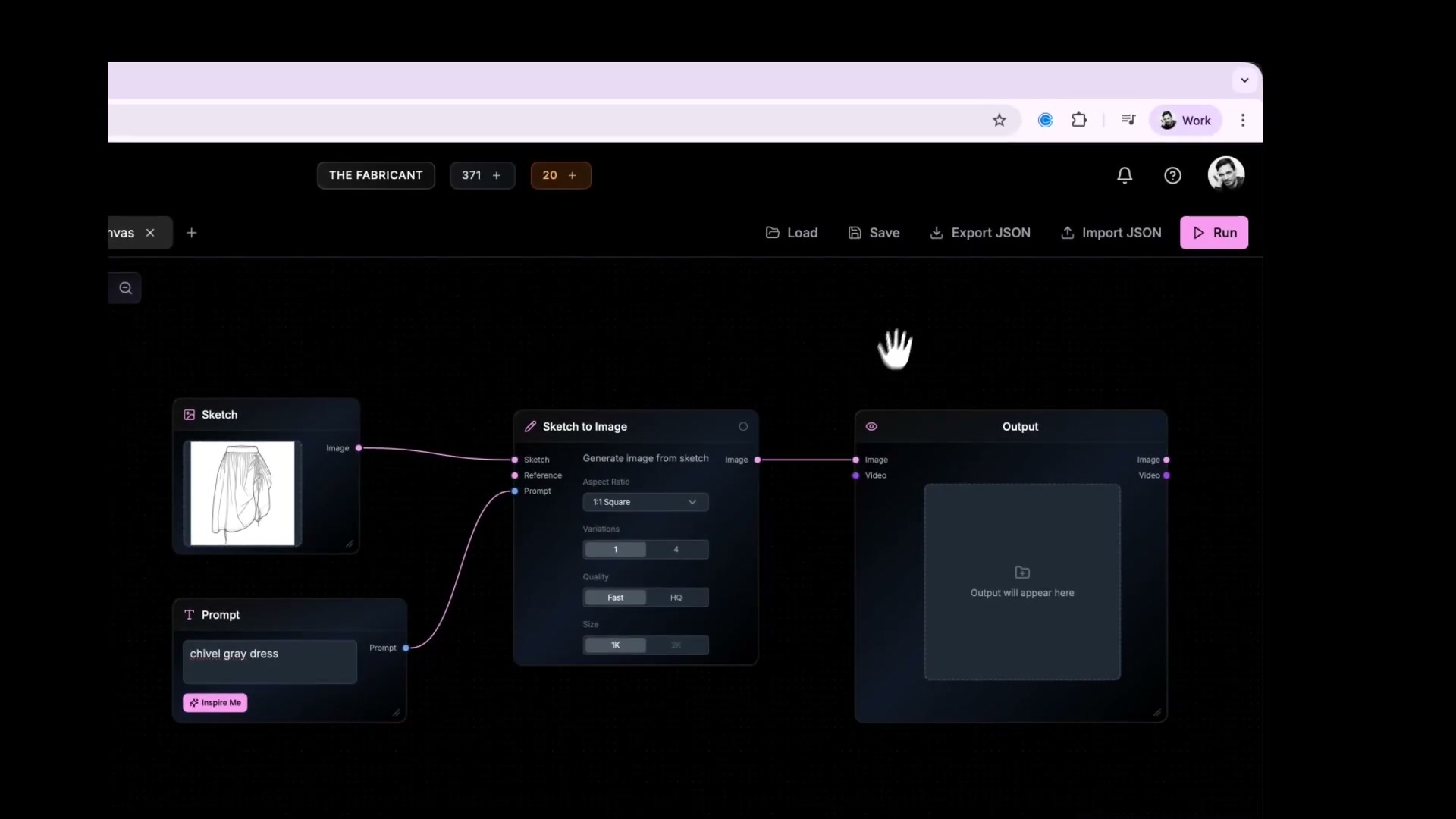
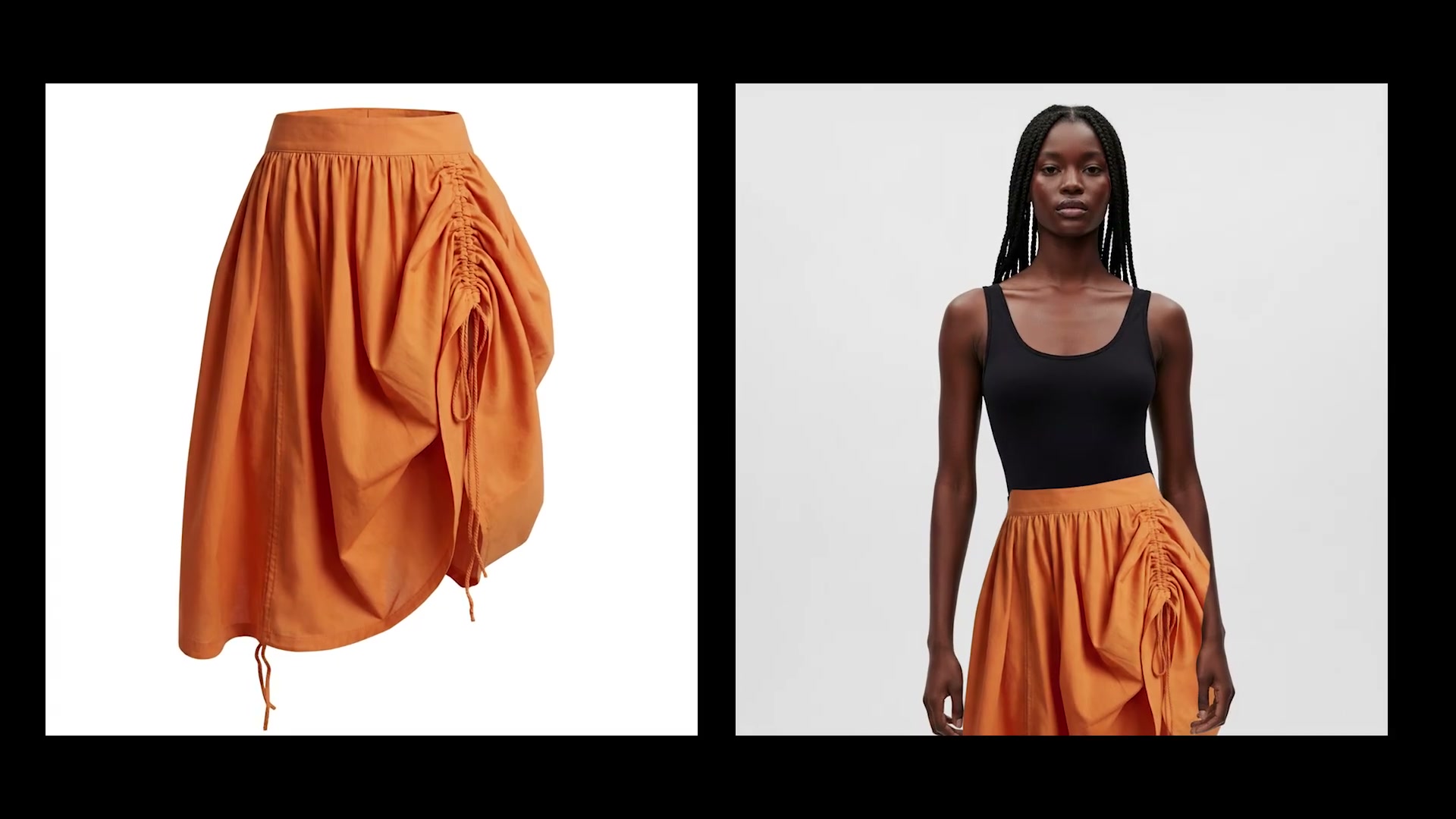
Once connected, the Canvas shows your complete sketch-to-garment pipeline. The Sketch to Image node takes your drawing and prompt, then generates a photorealistic version.
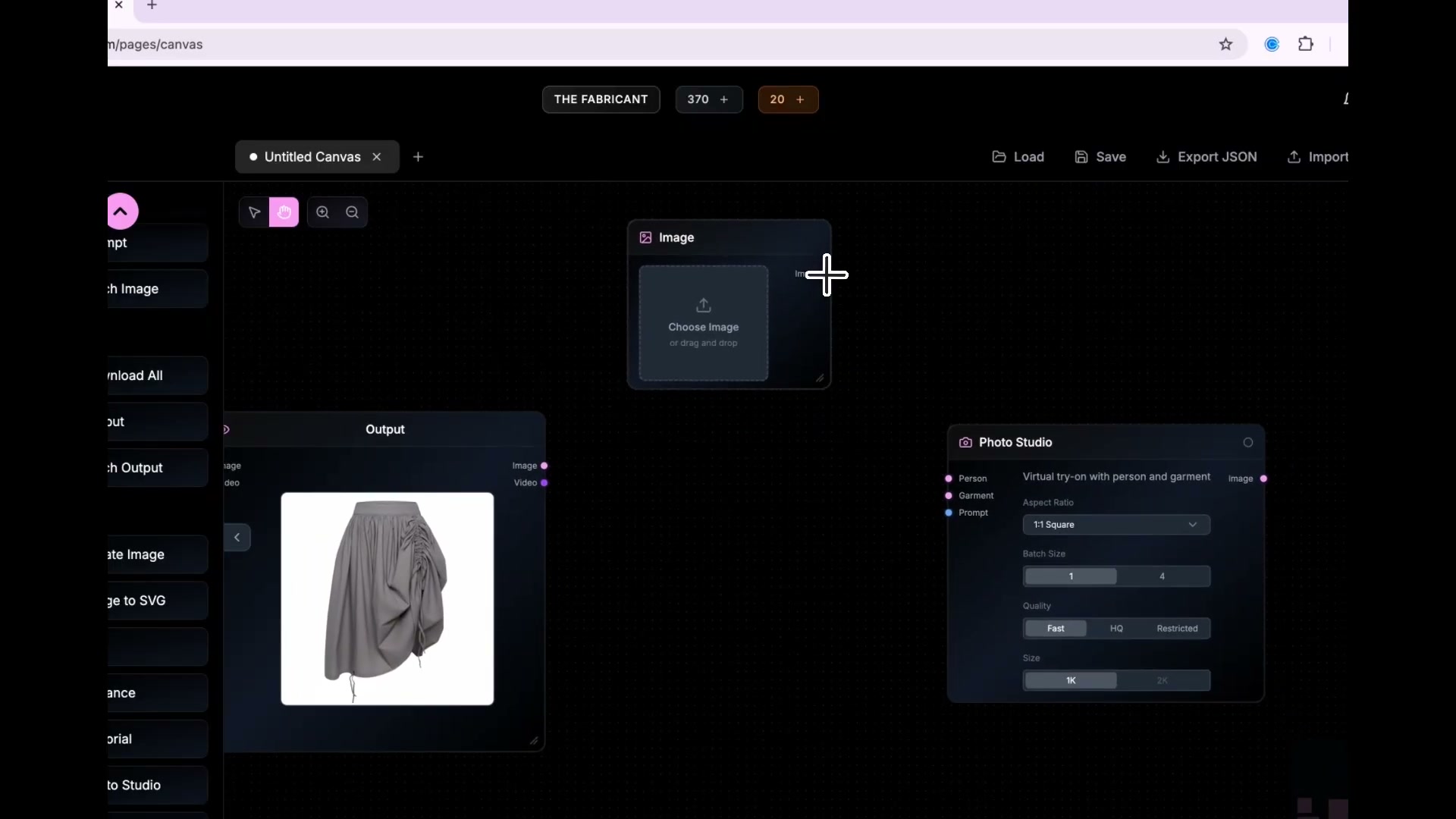
Now instead of downloading the generated garment and manually uploading it to Photo Studio, the workflow pipes it directly into a virtual try-on.
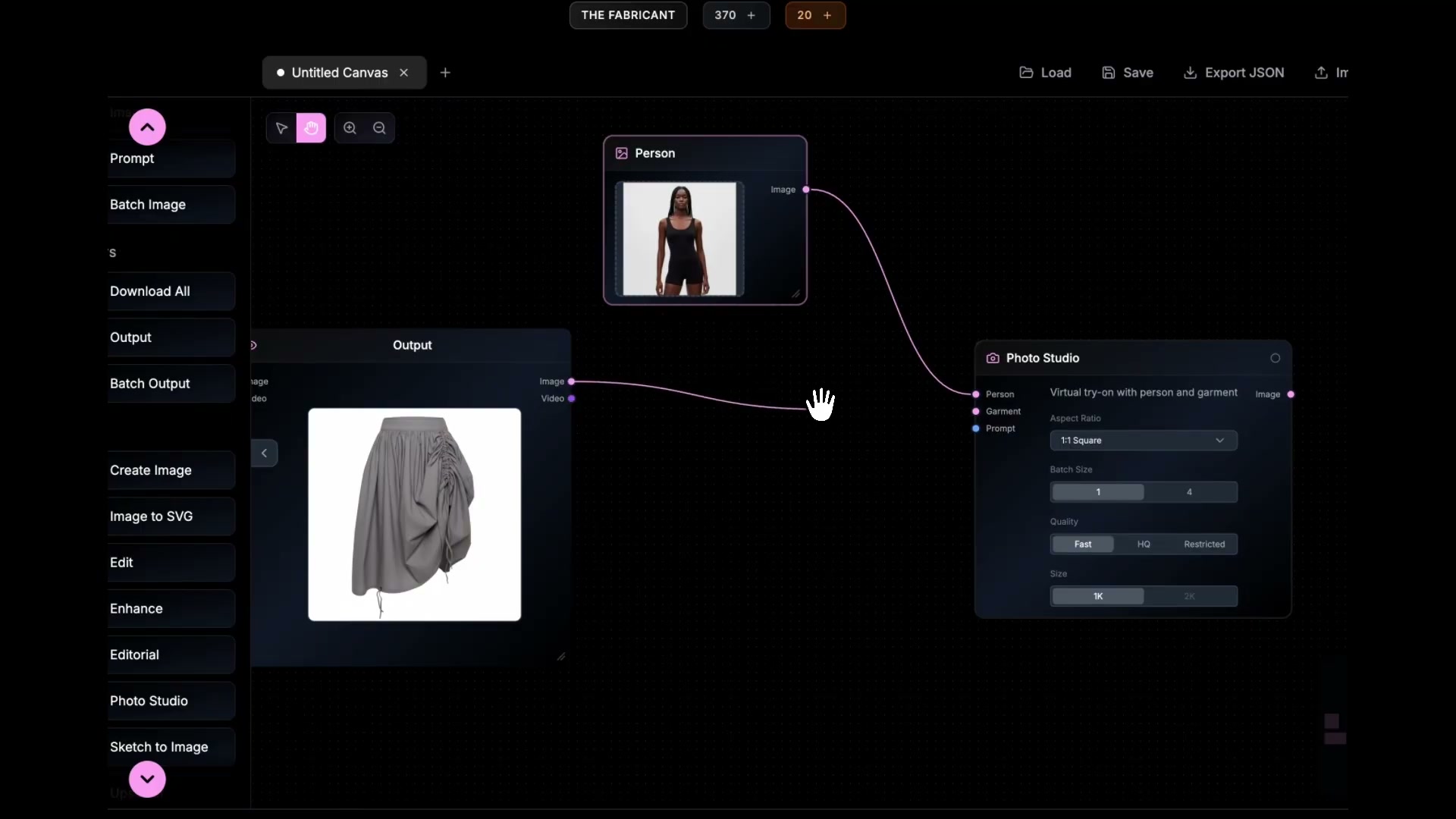
With the workflow mapped out, hit Run. The system processes nodes in sequence:
By the time the progress bar finishes, you have a complete, marketing-ready image. You have gone from a 2D sketch to a styled model shoot in seconds.
The real power of Canvas workflows is iteration. Change the prompt from "Orange silk dress" to "Blue velvet gown" and hit Run again. The entire pipeline re-executes with your new input - no rewiring needed.
This means you can generate an entire collection of colourways or fabric variations from a single sketch in minutes, not hours.
As you get comfortable with Canvas, try adding an Upscaler node at the end of your workflow. This gives you crisp, high-resolution output perfect for social media, lookbooks, or client presentations.
Ready to build your first workflow? Open The Fabricant platform and start connecting nodes.